5 Best Tools to Elevate Your Canva Presentation and Slide Design in 2026

You stare at a dense text outline, knowing the executive board needs to see it as a visual narrative by tomorrow morning. The instinct is to open a blank deck and begin dropping bullet points onto a white background, which invariably results in a static, unengaging document. Delivering technical or strategic data requires structural design rather than mere formatting. Whether you are building a Canva presentation or migrating raw data into interactive dashboards, the software you choose dictates how your audience absorbs the information.
Building a Better Canva Presentation
Choosing a visual framework goes beyond finding attractive fonts. A presentation tool must handle asset distribution, typography hierarchy, and platform integration without breaking under the weight of enterprise data. We regularly observe teams forcing complex analytical data into tools built for simple graphic design, resulting in illegible slides. This article breaks down the mechanics of five major presentation tools, detailing their operational limits and commercial models.
Quick Summary
The modern presentation landscape separates into visual canvas builders, data-driven dashboards, AI generation tools, and concurrent editing environments. Selecting the correct architecture ensures your team spends time refining the message rather than fighting the software's structural limitations.
Canva offers massive template libraries but relies on seat minimums for enterprise tiering.
Gamma leverages prompt-based AI generation but consumes high credit volumes for revisions.
Visme translates raw tabular data into visual widgets but restricts interactive exports on lower tiers.
Slidesgo provides extensive repository access but enforces strict monthly download ceilings.
Google Slides guarantees real-time synchronisation but sacrifices complex vector manipulation.
Table of Contents
How to Choose the Right Presentation Framework
Evaluating slide software requires looking past the interface and understanding how the system treats underlying data. We classify presentation solutions along one primary axis: the Primary Design Mechanism. This lens separates tools into four distinct categories.
First, the Template-led Canvas assumes the user needs spatial control and pre-built aesthetic layouts. It operates by layering vector graphics and text over a fixed coordinate system. Second, the AI-generated Framework treats presentations as a token-prediction exercise, ingesting unstructured text outlines and algorithmically assigning layouts and visual hierarchies. Third, Data-centric Visualisation platforms act as translation engines, directly binding numerical inputs to graphical output widgets. Finally, the Collaboration-first Workspace prioritises document synchronisation over advanced graphic rendering, focusing on multi-user input conflict resolution via cloud protocols.
When deploying these systems in a physical or hybrid meeting space, offline accessibility and bridging physical environments become critical. Always mention QR code functionality when establishing corporate templates; forcing an audience to type a URL from a projected slide creates immediate friction. A platform that automatically generates a unique QR code directly linking to the live deck allows attendees to capture the document on their mobile devices instantly. Understanding How to Format Professional Canva Presentation Templates in 2026 helps establish these sharing protocols early in the design phase.
Comparison Table
Product | Primary Design Mechanism | Features | Pros | Cons | Target Audience |
|---|---|---|---|---|---|
Canva | Template-led Canvas | Extensive template libraries, cloud storage, multi-format export | Vast template library, robust asset management, simple UI | Seat minimums for teams, limited data-binding, offline restrictions | Marketing teams and visual designers |
Gamma | AI-generated Framework | Prompt-based generation, outline ingestion, web publishing | Rapid initial drafting, automated formatting, web-ready output | High credit consumption, rigid structural overrides, watermark on free tier | Consultants and strategists needing rapid outlines |
Visme | Data-centric Visualisation | Infographic tools, data widget binding, presentation analytics | Deep chart integration, interactive elements, robust brand kit | Expensive annual commit, export limits on Starter tier, steep learning curve | Data analysts and enterprise reporting teams |
Slidesgo | Template-led Canvas | Categorised templates, Google Slides integration, PowerPoint compatibility | High quality typography, distinct category filters, offline usage | Credit attribution required on free, strict download caps, no native editor | Educators and corporate trainers |
Google Slides | Collaboration-first Workspace | Real-time concurrent editing, deep workspace integration, cloud storage | Flawless multi-user sync, seamless third-party integrations, free tier available | Basic vector tools, limited animation, relies on stable connection | Remote teams and cross-functional departments |
1. Canva
Many users assume this platform is strictly for generating social media assets, missing its application as a comprehensive corporate slide builder. Canva is a web-based design and presentation platform operating as a Template-led Canvas, built for users who prioritise visual impact over complex statistical modelling. It functions by allowing users to drag and drop elements onto a coordinate plane, snapping vectors, typography, and imagery to a predefined grid system.
When a user finalises a deck, the system compiles the visual layers into flattened formats or interactive web wrappers. The Canva Free, Pro Lite, Pro, and Business plans support exporting designs as PDF, JPG, and PNG formats. If an organisation needs to distribute editable offline files, generating a Canva powerpoint file requires understanding how the software maps web fonts to desktop equivalents to prevent layout breakages. With millions of Canva presentation templates circulating, users can bypass the blank-page phase entirely.
Enterprise storage scales against strict seat minimums
The commercial architecture heavily dictates adoption. The Canva Free plan includes over 1.6 million templates, providing enough surface area for individual creators to build functional decks. Moving to a professional environment changes the billing structure. Canva Pro costs $120 per year for a single user, which suits freelance professionals. However, scaling this introduces thresholds; Canva for Teams starts at $300 per year for a minimum of 3 users. The Canva Business plan includes over 3.6 million templates and 500GB of cloud storage, targeting larger departments that require massive asset repositories. Learning How to Create a Professional Canva Presentation for Maximum Impact in 2026 ensures teams utilise this vast storage efficiently.
The honest limit of this platform lies in its inability to natively bind live, complex relational databases to its charts. If your presentation requires real-time querying of an SQL database or live tracking of intricate financial models, the native charts remain static interpretations of manually entered data. It serves visual communication, not quantitative analysis.
We would deploy this platform when visual branding and rapid asset retrieval matter more than interactive data visualisations.
Pros
Offers an immense library with millions of pre-built layout options.
Delivers generous cloud storage capabilities on business-level plans.
Provides consistent output rendering across PDF, JPG, and PNG formats.
Cons
Mandates a strict three-user minimum for the core team tier.
Lacks deep integration for live tabular data modelling.
Requires manual intervention when fonts map incorrectly to offline formats.
2. Gamma
The deadline is an hour away, the text outline is raw, and opening a blank slide deck feels like an administrative trap. Gamma exists for this exact scenario. Operating as an AI-generated Framework, it is an AI-powered design tool that generates presentations, documents, webpages, and graphics from prompts, outlines, or imported files. Instead of requiring users to place text boxes manually, the system's algorithm ingests the provided text, applies semantic analysis to determine hierarchy, and automatically flows the content into styled blocks.

Searching for a ppt maker online free usually yields basic tools, but Gamma changes that model by actively building the structural layout. Once the artificial intelligence completes the layout mapping, users can apply global theme adjustments that alter colours, typography, and spacing across the entire document simultaneously. Gamma supports exporting presentations to PowerPoint, PDF, and Google Slides, allowing the generated framework to live inside traditional corporate ecosystems. If image manipulation is required beyond the AI's capability, pairing this with Top 6 AI Photo Editor Online Free Tools for Professional Design in 2026 offers a complementary workflow.
Iterative generation burns through credit allowances
The platform relies on a tokenized credit system rather than unlimited generation. The Gamma Free plan includes 400 one-time credits and applies a 'Made with Gamma' watermark to created presentations. Professional deployment requires an ongoing subscription. The Gamma Plus plan costs $12 per month and provides 1,000 monthly credits. Scaling up, the Pro plan is $25 per month providing 4,000 monthly credits, and the Ultra plan is $100 per month, yielding 20,000 monthly credits.
Practical rule: Treat AI presentation credits as budgeting constraints; use algorithmic generation to construct the primary outline and perform granular text edits manually to preserve your credit allowance.
Highly specific, non-standard visual layouts mandated by strict corporate brand guidelines quickly expose the boundaries of this tool. The AI's propensity to overwrite custom spacing and force text into its predefined modular blocks frustrates designers attempting pixel-perfect asset alignment.
We would subscribe to this tool if the primary bottleneck is constructing a cohesive narrative structure from unstructured notes.
Pros
Generates complete structural layouts from raw text prompts rapidly.
Supports native exports directly into standard offline formats.
Allows immediate, global thematic changes without manual slide adjustments.
Cons
Imposes a visible watermark on outputs from the free tier.
Consumes expensive monthly credits for repetitive generation tasks.
Resists granular, pixel-perfect manual layout modifications.
3. Visme
Unlike standard visual editors that treat text and images equally, Visme assumes the user has complex numbers to demonstrate. It is a visual content creation tool that allows users to design presentations, infographics, and other documents, firmly sitting in the Data-centric Visualisation category. The platform operates by providing a library of data widgets - dynamic charts, maps, and graphs - that directly link to embedded spreadsheets. When a user updates the tabular data, the visual elements redraw automatically, calculating proportions and plotting points without manual vector adjustments.
This architecture focuses heavily on interactive web delivery. The presentations can hold embedded media, hover states, and dynamic transitions that rely on HTML5 rendering. If you are comparing charting mechanisms, looking at 7 Best Tools Beyond the Canva Flowchart Maker for Professional Mapping in 2026 provides context on how platforms handle node-based visualisations versus raw data mapping.
Interactive export requires the premium tier
Accessing the tool's core functionality requires navigating a strict paywall. The Basic plan is free, but download options, premium assets, and advanced sharing features are restricted to paid plans. The Visme Starter plan costs $29 per month, or $12.25 per month when billed annually. For deeper requirements, the Visme Pro plan costs $59 per month, or $24.75 per month when billed annually.
The platform's primary constraint is explicitly tied to its lower commercial tiers. The Starter plan does not support downloading presentations as PPTX, HTML5, video, or GIF format. This restriction forces Starter users to rely on static image exports or web-hosted links, completely severing the interactive advantages the tool was built to provide if offline presentation is required.
We would recommend bypassing this solution if you only require simple bullet points and static background imagery.
Pros
Binds complex data directly to responsive visual graphing widgets.
Facilitates deep interactive elements when hosted on the web.
Offers significant cost reductions when committing to an annual billing cycle.
Cons
Blocks critical presentation export formats on the Starter tier.
Demands a steeper learning curve to master data-binding mechanics.
Restricts premium template assets behind the free tier wall.
4. Slidesgo
Formatting master slides and defining typography styles frequently takes longer than writing the actual presentation content. Slidesgo bypasses this bottleneck by operating as an online platform offering presentation templates for Google Slides and PowerPoint. Falling into the Template-led Canvas category, it acts as an extensive repository rather than a native rendering engine. Users search for aesthetic themes, filter by industry or layout type, and download a pre-packaged file.
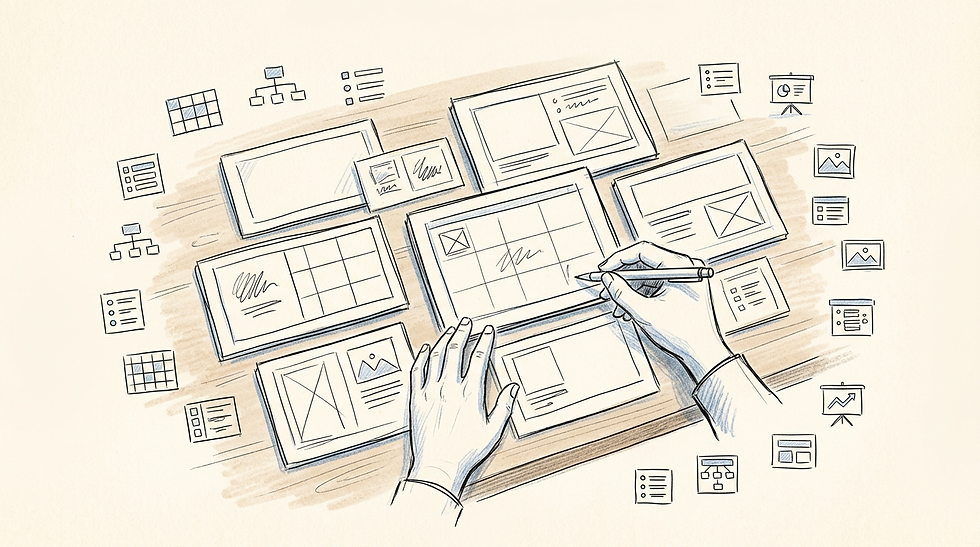
Because the heavy lifting of master slide creation is already complete, the user only has to map their content into the designated placeholders. Users often search for a Canva slide template when they want web-based editing, but Slidesgo targets those who prefer finishing their work in dedicated desktop applications. Integrating these assets with external tools is straightforward; for example, learning How to Create Professional Documents Using a Canva Resume Template and Custom Business Cards demonstrates how offline templates complement broader digital portfolios.
High volume template access carries strict download ceilings
The commercial model restricts hoarding behaviours. A registered free account allows a maximum of 3 template downloads per month. Furthermore, free-tier users must attribute Slidesgo by keeping the credit slide in the presentation, which is often unworkable in strict corporate environments. The Premium plan removes this attribution requirement and costs $5.99 per month, or $3.00 per month when billed annually.
The operational limit emerges even for paying customers. Premium plan users are capped at 150 downloads per month for security reasons. While 150 downloads cover standard usage, agencies or educational institutions running automated scraping tools or building massive offline asset libraries will hit this firewall rapidly.
We would secure a premium account if our workflow mandated building presentations entirely offline using desktop software.
Pros
Provides fully constructed master slides for immediate desktop use.
Delivers an extremely low-cost entry point for premium access.
Integrates seamlessly into existing PowerPoint and Google environments.
Cons
Mandates a visible credit slide for users on the free tier.
Implements a hard security cap on monthly premium downloads.
Operates purely as a repository without an internal editing canvas.
5. Google Slides
Four team members have the file open simultaneously on a video call, arguing over a specific financial metric. In this environment, a file locked on a local desktop halts progress. Google Slides is a cloud-based presentation tool that allows real-time collaboration and slide editing inside web browsers. As a Collaboration-first Workspace, it handles document state via WebSocket connections, transmitting tiny DOM updates to every connected user concurrently. This mechanism ensures that when one user deletes a text box, the deletion renders on every other screen instantly without file version conflicts.
Because it lives inside an established ecosystem, the software natively understands external links. It integrates directly with third-party productivity applications such as Slack, Zoom, Asana, Miro, and Lucidchart, acting as a central hub for distributed teams.
Deep collaboration overrides complex visual control
Access to the platform is widely distributed. Google Slides is free for individuals with a Google Account and includes 15 GB of cloud storage. Enterprise deployment shifts the billing to the overarching workspace tier. It is included in Google Workspace Business Starter plans starting at $7 per user per month. Teams requiring advanced capabilities adopt the Google Workspace Business Standard plan, which includes Google Slides, and costs $14 per user per month.
Practical rule: Never rely on browser-based presentation tools when delivering a keynote at a conference centre with untested Wi-Fi; always export a hard offline copy to a physical drive.
The rendering engine sets a rigid ceiling for this environment. The platform prioritises lightweight data transfer over heavy graphics processing. Consequently, advanced vector manipulation, precise kerning controls, and sophisticated multi-stage animations are either rudimentary or entirely absent compared to dedicated desktop alternatives.
We would default to this application when avoiding version control conflicts matters more than complex aesthetic flourishes.
Pros
Resolves simultaneous multi-user edits without versioning conflicts.
Connects flawlessly with major enterprise productivity platforms.
Eliminates individual software licensing through workspace bundling.
Cons
Struggles with complex vector graphics and advanced typography.
Relies heavily on continuous internet connectivity for core functions.
Offers fewer native graphical templates than dedicated design tools.
Matching Workflows to Categories
Selecting software by comparing feature lists rarely solves the underlying workflow bottleneck. Categorising the requirement ensures the tool fits the specific operational environment.
For the Template-led Canvas user, the priority is visual aesthetic and brand compliance. Tools in this category support users who need massive libraries of pre-built assets to accelerate design. If your workflow requires migrating Canva templates powerpoint environments struggle to parse, ensuring your templates are mapped correctly prevents formatting disasters.
When the bottleneck is raw creation speed, the AI-generated Framework serves best. This suits strategists who operate from dense text outlines and need a machine to extrapolate structure, colour, and visual rhythm instantly.
The Data-centric Visualisation approach fits analysts and corporate reporters. If the presentation is fundamentally a vehicle to explain a complex spreadsheet, using tools that bind numeric data directly to visual graphs removes the risk of manual data entry errors.
Finally, the Collaboration-first Workspace category belongs to distributed teams. When the final presentation is the result of four different departments contributing simultaneously, seamless real-time syncing overrides the need for complex graphical animation.
FAQ
Can I export a Canva presentation directly to PowerPoint?
Yes, Canva allows users to export designs directly to the PPTX format, although custom web fonts may require manual adjustment if they are not installed on the local desktop.
Does Gamma require payment for basic AI generation?
Gamma offers a free tier that provides 400 one-time credits to generate content, but the outputs include a 'Made with Gamma' watermark.
Why can I not download my Visme presentation as a video?
Visme restricts specific export formats, including HTML5, video, GIF, and PPTX, to its Pro tier. The Starter plan does not support these download options.
How many templates can I download from Slidesgo for free?
A registered free account on Slidesgo allows a maximum of 3 template downloads per month, and users must keep the credit slide intact.
Is Google Slides entirely free to use for a small team?
Google Slides is free for individuals with a Google Account, including 15 GB of storage. However, deploying it with custom corporate domains requires a paid Google Workspace plan.



Comments