4 best free poster maker tools for digital marketing in 2026

A sudden local campaign means needing a design that works across shop windows and social feeds by yesterday afternoon. The bottleneck is rarely the message; it is usually the gap between knowing what a poster should look like and finding a tool that will actually export it without a watermark.
Quick Summary
A free poster maker is a cloud-based design tool that provides templates and export options for digital and print marketing without upfront software costs.
Storage limits define how long you can keep campaigns active.
Export restrictions determine whether a tool is suitable for professional printing.
Collaboration features separate solo tools from team environments.
Template variety sets the speed at which a campaign launches.
Table of Contents
How to choose a poster generator free online
The tools below are evaluated on their asset handling capacity. This separates tools into three categories: Template Libraries, which focus on volume; Storage-First Platforms, which prioritise file retention; and Specialised Export Tools, which restrict outputs but offer distinct features.
Tool | Asset Handling Capacity | Features | Pros | Cons | Target Audience |
|---|---|---|---|---|---|
Canva | Template Libraries | Drag-and-drop tools, 2m+ templates | High template volume, QR code options, 5 GB storage | Dream Lab limited to 20 uses, strict Pro gating, frequent upsells | Campaign managers |
Adobe Express | Template Libraries | Standard templates, 5 GB storage | No credit card required, solid template base, basic editing | Trial limits on Premium, requires account creation, varied template quality | Social media marketers |
VistaCreate | Storage-First Platforms | 10 GB storage, no time limit | High free storage, one-seat inclusion, flat rate Pro option | Annual billing required for lowest Pro rate, team limit at 10, fewer templates | Small business teams |
Piktochart | Specialised Export Tools | 60 AI credits, infographic focus | AI drafting included, document focus, clear billing structure | 2 PNG lifetime limit on free, niche template focus, limited formats | Data communicators |
1. Canva
The question a buyer asks before shortlisting Canva is whether the free templates are enough to build a campaign without hitting a paywall. It is a cloud-based graphic design platform used to create custom posters, banners, and flyers using drag-and-drop tools and pre-designed templates, operating primarily within the Template Libraries category.
Canva provides a visual canvas where elements are moved via drag-and-drop, storing projects in its cloud infrastructure. It also allows users to generate and embed a QR code directly onto a poster layout.
Broadest template selection with strict Pro gating
The Canva Free plan includes access to over 2 million templates and provides 5 GB of cloud storage, while Canva Free plan users receive 20 Dream Lab image generations per month. The Canva Pro subscription is priced at $15 per month or $120 per year per user.
Practical rule: If your campaign requires frequent AI image generation, rely on external tools rather than the 20-use cap provided here.
What would make me hesitate is the volume of assets marked as premium while working in the free tier, which slows down the layout process. If a campaign requires heavy AI generation, the strict 20-use cap on the Dream Lab feature restricts iterative design.
Choose this when sheer template volume is the primary requirement for a rapid campaign launch.
Pros
Over 2 million free templates
Includes 5 GB cloud storage
Generates QR codes directly
Cons
20 Dream Lab generations monthly
Pro plan costs $15 per user
Extensive premium gating
2. Adobe Express
The bottleneck Adobe Express removes is the complexity of professional software, offering a template-first cloud design tool used to produce marketing materials, flyers, posters, and social media posts. It sits firmly in the Template Libraries category.
Users select a base layout and modify it through a simplified web interface, replacing images and text while maintaining the original structural grid.
Template-first focus with immediate storage access
Adobe Express Free includes basic editing tools, standard templates, and 5 GB of cloud storage with no credit card required. The Premium subscription is priced at $9.99 per month for individuals and comes with a 30-day free trial. Adobe Express is rated 4.5 out of 5 stars based on 849 verified user reviews on G2. You can also integrate a QR code into these layouts if required.
I would hold off on this if a campaign requires highly bespoke layer manipulation, as the tool prioritises template rigidity over free-form design. The limit here is the jump to the Premium tier; once standard templates are exhausted, the $9.99 individual cost becomes necessary.
Select this option when seeking high-rated, template-driven tools that do not demand a credit card for basic access.
Pros
No credit card needed for free tier
5 GB storage included
4.5 star G2 rating (849 reviews)
Cons
Premium requires $9.99 monthly
Limited free tools
Rigid template structures
3. VistaCreate
VistaCreate is defined by what it replaces: the need for paid cloud hosting for active design files. It is a web-based design editor utilized to build visual marketing content, graphics, and animated posts, fitting the Storage-First Platforms category.
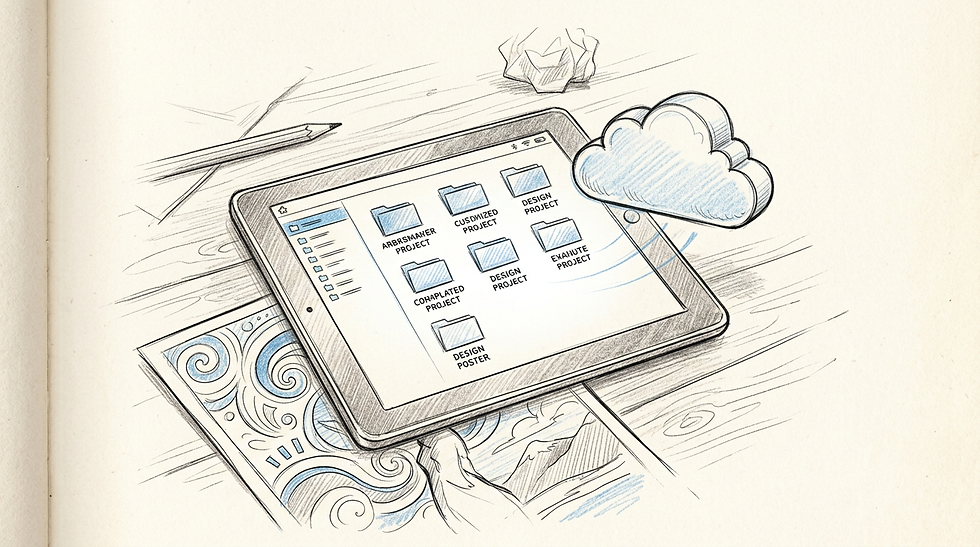
The editor processes visual assets directly in the browser, allocating substantial storage to a single user profile without applying time limits on file retention. Creating a QR code is possible within its broader design capabilities.
High storage capacity on the entry tier
The free Starter plan has no time limit, accommodates one seat, and includes 10 GB of storage. The Pro subscription plan is priced at $13 per month or $10 per month when billed annually, and the Pro plan flat rate supports team collaboration for up to 10 members.
Practical rule: Base your choice of platform on the file size of the assets you upload; higher storage delays the need to delete old campaigns.
The honest limit of this platform is its team scaling. The one-seat restriction on the free tier means collaborative work is impossible without upgrading, and even the Pro tier caps team members at 10.
Adopt this platform when managing large volumes of high-resolution uploads that require significant free storage.
Pros
10 GB free storage
No time limit on free plan
Flat rate covers 10 members on Pro
Cons
Free plan is strictly single-seat
Annual billing needed for $10 rate
Pro cap at 10 members
4. Piktochart
Teams searching for a tool to create banner online free options often overlook platforms built for data. Piktochart is a visual content creation platform focused on designing infographics, reports, posters, and presentations, operating as a Specialised Export Tools option.
It works by structuring information into blocks, allowing users to apply text prompts to generate initial layouts, and supports embedding links or a QR code for further data access.
Document generation with severe export caps
The free plan includes 60 AI credits per month for generating drafts from text prompts and documents. The Pro plan is priced at $10 per member per month when billed annually, or $15 per member per month when billed monthly. Crucially, the free plan has a lifetime export limit of 2 PNG downloads per account.
What would make me hesitate is the export limit. A lifetime cap of 2 PNG downloads renders the free tier practically useless for continuous poster production. It functions as a trial rather than a sustained free poster editor free online tool.
Reserve this exclusively for projects where data presentation outweighs visual experimentation and only one or two final exports are needed.
Pros
60 AI credits monthly
Focuses on data presentation
Transparent annual billing structure
Cons
Lifetime limit of 2 PNG downloads
$15 monthly cost per member
Unsuited for continuous free usage
Matching workflows to design tools
When working within Template Libraries, the sheer volume of options dictates the speed of output. These tools fit environments where the marketing message changes weekly, and relying on pre-built structures prevents design fatigue.
For those relying on Storage-First Platforms, the focus shifts to asset retention. If a campaign involves uploading extensive photography or preserving multiple iterations of a layout for future use, platforms offering 10 GB or more prevent constant file management.
Using Specialised Export Tools requires precise planning. With severe restrictions on outputs, these platforms serve specific, high-value data communication tasks rather than rapid social media turnover.
FAQ
Can I add a QR code using a free poster maker?
Most mainstream design platforms allow you to generate and insert a QR code directly onto your canvas, enabling offline-to-online tracking.
Do free poster maker tools restrict print quality?
Yes. Many free tiers limit export resolution to standard PNG or JPG formats, while print-ready PDF files with bleed marks are often gated behind premium subscriptions.
Are templates on a poster generator free online truly free to use?
While the platform is free, large portions of the template libraries often contain premium elements that will prompt a payment wall upon export.


Comments