How to Design a Professional QR Code Sticker for Modern Networking in 2026
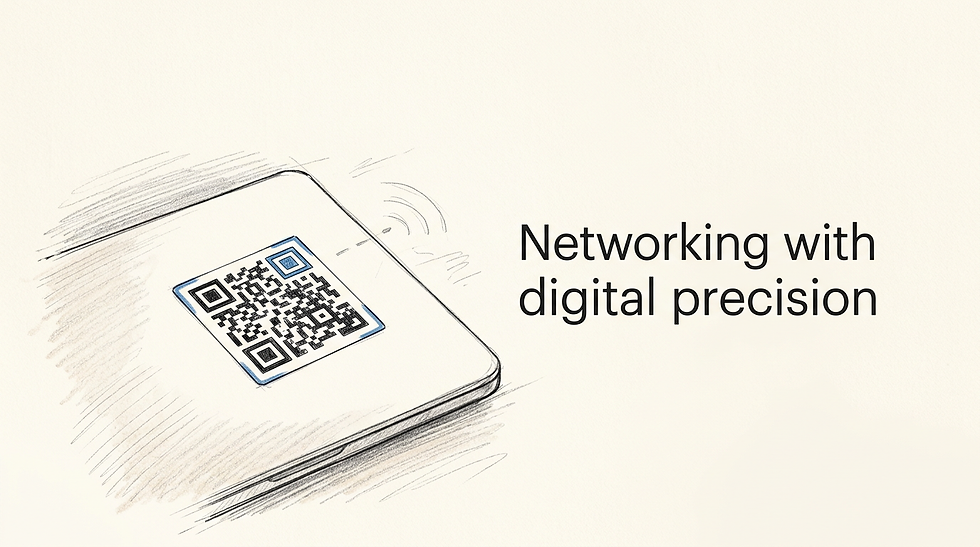
Imagine standing in a crowded Kuala Lumpur exhibition centre, handing an excellent prospect a standard business card, and watching them instantly put it into a pocket where it will never be seen again. Relying on manual data entry in a high-friction environment guarantees that the connection is lost. A well-calibrated qr code sticker deployed on your laptop case, exhibition badge, or product packaging bypasses this friction entirely, capturing physical foot traffic and directing it to a digital portfolio without a single keystroke.
Quick Summary
A professional digital matrix functions as a high-speed routing tool, capturing physical intent and resolving it into digital engagement instantly. Mastering this transition requires strict attention to contrast, data density, and physical substrates.
Routing must use dynamic endpoints to survive printed lifespans.
Optical recognition requires at least a 4:1 contrast ratio for low-light scanning.
Matrix complexity dictates absolute minimum physical dimensions.
Material choices define the operational limits of the printed asset.
Table of Contents
[Why a professional qr code sticker anchors modern networking](#why-a-professional-qr-code-sticker-anchors-modern-networking)
[1. Consolidate your digital routing architecture](#1-consolidate-your-digital-routing-architecture)
[Static destinations guarantee premature obsolescence](#static-destinations-guarantee-premature-obsolescence)
[2. Dictate matrix density and error correction](#2-dictate-matrix-density-and-error-correction)
[Over-correcting data destroys micro-format scannability](#over-correcting-data-destroys-micro-format-scannability)
[3. Select physical substrates for optical clarity](#3-select-physical-substrates-for-optical-clarity)
[High-gloss finishes actively repel smartphone camera focus](#high-gloss-finishes-actively-repel-smartphone-camera-focus)
[4. Protect the mandated quiet zone](#4-protect-the-mandated-quiet-zone)
[Border encroachments instantly disable optical recognition](#border-encroachments-instantly-disable-optical-recognition)
[5. Calibrate tracking and engagement metrics](#5-calibrate-tracking-and-engagement-metrics)
[Unsegmented physical traffic pollutes digital analytics](#unsegmented-physical-traffic-pollutes-digital-analytics)
[6. Execute high-engagement novelty campaigns](#6-execute-high-engagement-novelty-campaigns)
[Cultural touchstones drive higher baseline scanning rates](#cultural-touchstones-drive-higher-baseline-scanning-rates)
[7. Scale matrix dimensions for environmental display](#7-scale-matrix-dimensions-for-environmental-display)
[Distance ratios dictate absolute minimum printing sizes](#distance-ratios-dictate-absolute-minimum-printing-sizes)
[8. Engineer durability for high-friction applications](#8-engineer-durability-for-high-friction-applications)
[Standard inkjet transfers degrade under friction and ultraviolet light](#standard-inkjet-transfers-degrade-under-friction-and-ultraviolet-light)
[Common Pitfalls & Troubleshooting](#common-pitfalls-troubleshooting)
[FAQ](#faq)
[Recommended Reads](#recommended-reads)
Why a professional qr code sticker anchors modern networking
Physical networking assets must immediately command attention and effortlessly transition the user into a digital environment. The geometry of a two-dimensional barcode serves as an explicit call to action, signaling to a prospect that all the necessary context is one scan away. Striking the balance between scannability and aesthetics is a precise technical exercise, not just a matter of dropping a generated image onto a canvas.
1. Consolidate your digital routing architecture
How much data is too much? Each character encoded into a two-dimensional matrix increases the printed image's physical complexity. A short URL produces a clean, sparse matrix, typically Version 2 or 3. A phone camera interprets this instantly, even at a poor angle. Conversely, a long, parameter-heavy tracking URL forces the generation algorithm into higher versions. This produces a dense block of tiny squares. Scanning it requires perfect lighting and steady hands.
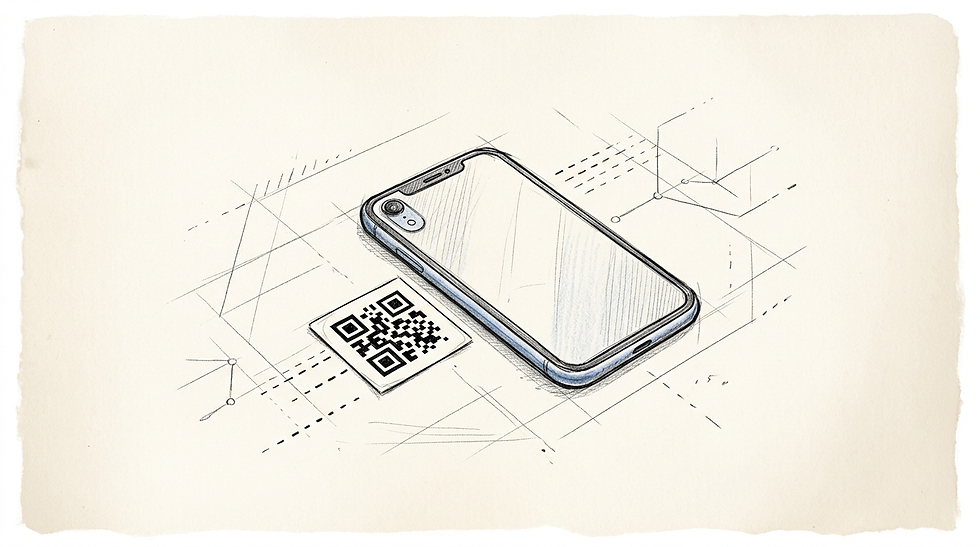
To manage this physical constraint, you must route your offline traffic through an intermediate digital hub rather than pointing the matrix directly at an end asset. A link-in-bio platform provides a consistently short URL, drastically reducing the required density of the printed matrix. It also centralises your external links, meaning you only ever need one printed code to serve multiple rotating campaigns.
> Practical rule: Always export your matrix as an SVG before applying it to a physical layout; raster formats will blur at the edges during printing and instantly degrade scanning reliability.
Those looking to master the technical variables of routing can examine [Understanding QR Codes: Types, Features, and Best Practices](https://dev-sitex192742306.wix-dev-sites.org/post/understanding-qr-codes-types-features-and-best-practices) to grasp how dynamic redirect endpoints function in high-traffic environments.
Static destinations guarantee premature obsolescence
The mistake most professionals make is hardcoding a direct, static destination into their printed materials. If you encode the direct URL of a specific product page, that matrix becomes useless the moment the page structure changes or the product goes out of stock. Dynamic routing eliminates this failure mode entirely by using a constant shortlink that redirects server-side, allowing you to update the final destination infinitely without ever reprinting your materials.
2. Dictate matrix density and error correction
Mathematical redundancy allows a matrix to remain readable even if it is scratched, torn, or partially obscured. The underlying Reed-Solomon error correction algorithm operates on four strict levels. Level L restores minimal lost data, while Level M, Level Q, and Level H progressively increase the volume of information recovered.
When a design will be printed as a tiny sticker qr code intended for the back of a phone case, space is heavily restricted. Because error correction works by duplicating data blocks throughout the pattern, selecting Level H drastically increases the total number of modules inside the square. This creates a highly complex image crammed into a small physical area.
For deep insights into calibrating these exact module ratios prior to deployment, reviewing [Advanced QR Code Creation: QR Code Customizations and Enhancements](https://dev-sitex192742306.wix-dev-sites.org/post/advanced-qr-code-creation-qr-code-customizations-and-enhancements) will map out the relationship between data redundancy and physical print capabilities.
Over-correcting data destroys micro-format scannability
Designers often commit a critical error. They default to Level H error correction for every project, assuming more resilience is always better. On a 25-millimetre networking badge, Level H creates microscopic modules. An average smartphone camera cannot distinguish these from printing artefacts or paper grain. Level M provides the optimal balance of resilience and optical clarity for small formats. Use it unless the code faces severe industrial damage.
3. Select physical substrates for optical clarity
Optical recognition relies entirely on contrast. The camera sensor must quickly distinguish the dark data modules from the light background. This means the material you print on is just as important as the design itself. Calendered vinyl offers excellent durability for laptop covers, while paper-based stock suits temporary conference badges.
However, the finish of the material dictates how light behaves when it strikes the surface. A smartphone camera emits a burst of light or relies on ambient overhead fixtures to expose the image. If the substrate reflects that light straight back into the lens, the resulting glare washes out the contrast and breaks the matrix.
To investigate how different production methods handle various vinyl finishes, reviewing [4 Top Free Sticker Maker Tools for Digital Branding in 2026](https://dev-sitex192742306.wix-dev-sites.org/post/4-top-free-sticker-maker-tools-for-digital-branding-in-2026) provides a breakdown of digital export requirements for physical printers.
High-gloss finishes actively repel smartphone camera focus
The failure mode here is specifying a high-gloss polyurethane lamination over your final print. In a convention hall with harsh overhead lighting, that glossy finish acts like a mirror, forcing the user to tilt their phone at extreme angles to dodge the glare. Always specify a matte or satin finish for any physically distributed optical code, ensuring the camera can lock focus regardless of environmental lighting.
4. Protect the mandated quiet zone
Every two-dimensional matrix is surrounded by a mandatory buffer known as the quiet zone. By ISO standards, this border must be exactly four modules wide and completely free of any graphics, text, or conflicting colours. The quiet zone is not a design suggestion; it is a hardcoded requirement that tells the scanner's heuristic algorithm where the background ends and the data begins.
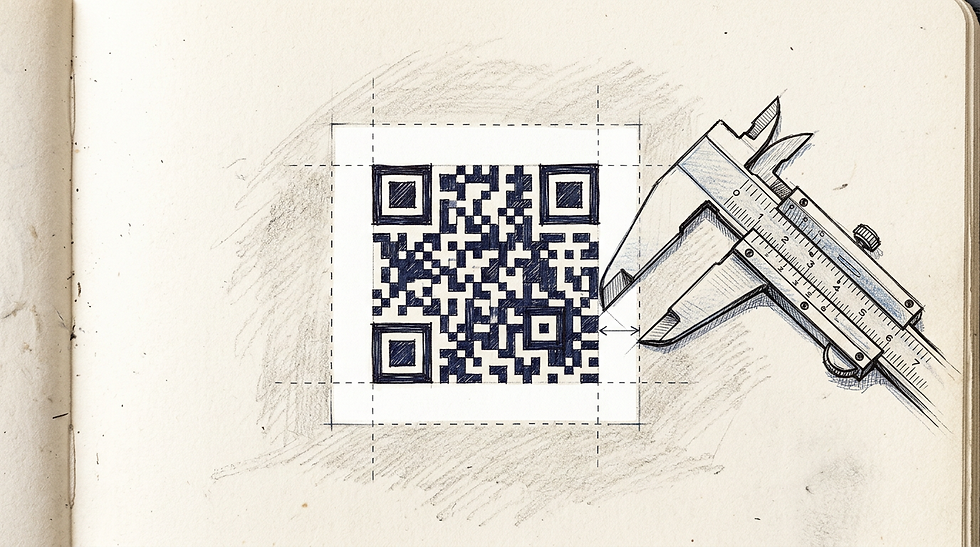
The smartphone camera looks for the three large squares (the finder patterns) located in the corners of the design. It uses the stark contrast between those squares and the quiet zone to orient itself, calculate the scanning angle, and determine the size of the data modules.
For those working within visual builder platforms, consulting [A Comprehensive Guide to Canva QR Codes: Creation and Use](https://dev-sitex192742306.wix-dev-sites.org/post/a-comprehensive-guide-to-canva-qr-codes-creation-and-use) demonstrates how to maintain strict bounding boxes while manipulating surrounding brand assets.
Border encroachments instantly disable optical recognition
The most frequent layout error is treating the matrix like a standard photograph and applying a tight, coloured border directly against its edges to match corporate branding. Intruding into the four-module quiet zone destroys the contrast ratio the finder patterns rely on. The scanner will continually hunt for the edge of the code, fail to find it, and simply refuse to trigger the link.
5. Calibrate tracking and engagement metrics
Deploying a physical asset without an isolated tracking mechanism wastes the core advantage of a digital bridge. When you hand someone a sticker with qr code integration, you are generating entirely unique, offline intent. If that code points to your standard, unparameterised homepage, that high-value physical lead is mixed indiscriminately with generic search engine traffic in your analytics dashboard.
Proper deployment requires appending UTM parameters or setting up a dedicated shortlink specifically for offline networking. This allows you to measure exactly how many people scanned your asset at a specific conference, versus how many found you organically online. It changes a vague brand-awareness exercise into a highly measurable conversion pipeline.
To examine how segmented traffic behaves once it hits a consolidated landing page, reading [Creative Ways to Use Link in Bio on Instagram](https://dev-sitex192742306.wix-dev-sites.org/post/creative-ways-to-use-link-in-bio-on-instagram) illustrates the value of capturing and holding attention in a single digital space.
Unsegmented physical traffic pollutes digital analytics
The failure state is printing thousands of units that point to a generic root domain. When a spike in traffic occurs following an industry event, the marketing team cannot mathematically prove that the physical campaign drove the engagement. Always isolate offline traffic by assigning a unique dynamic routing URL to every physical print run.
6. Execute high-engagement novelty campaigns
Occasionally, the objective is not direct B2B lead generation, but sheer viral engagement and ice-breaking. There is a psychological barrier to scanning an unknown digital matrix; users are inherently cautious about where an untrusted link might lead. You can bypass this hesitation by leveraging universally understood internet culture, openly signaling that the destination is harmless and entertaining.
Deploying a rickroll qr code sticker on the back of a conference laptop is a proven method for driving organic interaction among developers and marketers. When someone recognises the joke format - perhaps specifically identifying a never gonna give you up qr code sticker - it lowers their defenses. They scan it out of curiosity to see if the joke lands, at which point the dynamic redirect can log the engagement and then seamlessly point them to your actual professional portfolio.
To understand how these graphical elements are composed and rendered for physical distribution, [What is Canva and How Modern Design Tools Render Digital Assets](https://dev-sitex192742306.wix-dev-sites.org/post/what-is-canva-and-how-modern-design-tools-render-digital-assets) explores the underlying vector generation that keeps novelty designs crisp.
Cultural touchstones drive higher baseline scanning rates
The misstep in novelty campaigns is failing to capitalise on the attention once the joke is delivered. Pointing a user purely to a video without any follow-up tracking or secondary call-to-action is a wasted lead. Always route novelty scans through an intermediate page that logs the hit and offers a visible path to your actual digital hub.
7. Scale matrix dimensions for environmental display
A design that functions perfectly on a small networking token will not automatically work when scaled up for a trade show booth. The fundamental rule of environmental scanning is the 10:1 distance ratio: for every 10 metres of distance between the scanner and the target, the matrix must be at least 1 metre wide.
If you intend to transition your campaign from a hand-held format to a qr code poster mounted behind a podium, you must recalculate the focal distance. A code meant to be scanned from across an aisle needs a lower density (Version 2 or 3) and significantly higher contrast to punch through the visual noise of a convention centre.
For a technical breakdown of large-format deployment, reviewing [How to Use a QR Code Poster for Modern Professional Networking in 2026](https://dev-sitex192742306.wix-dev-sites.org/post/how-to-use-a-qr-code-poster-for-modern-professional-networking-in-2026) explains the vector-scaling requirements necessary to maintain edge sharpness.
Distance ratios dictate absolute minimum printing sizes
The critical error in scaling is exporting the matrix as a raster image (PNG or JPG) rather than a vector format (SVG or EPS). When a raster image is blown up for a banner, the crisp edges of the data modules blur into grey gradients. The scanner's algorithm relies on sharp right angles to decode the matrix; if those corners are anti-aliased, the code becomes completely unreadable from a distance.
8. Engineer durability for high-friction applications
When deploying optical routing onto hardware, logistics equipment, or heavily handled product packaging, standard paper runs will disintegrate within days. High-friction environments require specialised industrial substrates and printing techniques.
For long-term tracking, deploying qr code labels printed via thermal transfer resin ensures the ink is chemically bonded to a synthetic PET substrate. This prevents the dark modules from scratching off when a laptop is repeatedly shoved into a bag, or fading when exposed to direct sunlight over several months.
For an overview of how these durable assets integrate into broader corporate identity systems, [How to create QR code designs for your business and personal branding in 2026](https://dev-sitex192742306.wix-dev-sites.org/post/how-to-create-qr-code-designs-for-your-business-and-personal-branding-in-2026) discusses unifying industrial labels with consumer-facing aesthetics.
Standard inkjet transfers degrade under friction and ultraviolet light
The failure mode here is treating an asset meant for three years of wear exactly like a throwaway flyer. Standard dye-based inkjet printing will fade under ultraviolet light, turning a stark black matrix into a low-contrast purple square that cameras ignore. Always specify UV-resistant resin inks for any matrix that will live outside of a wallet.
Common Pitfalls & Troubleshooting
The camera focuses perfectly but refuses to trigger a link This is the most frequent cause of failure, and it almost always points to an obstructed quiet zone. If you have placed text, a tight border, or another graphic within four modules of the matrix edge, the heuristic scanner cannot orient itself. *Fix:* Remove any graphics near the edge and restore a pure white border equal to four blocks in width.
The code scans instantly indoors but fails completely in daylight Your contrast is likely being destroyed by glare. A glossy finish reflects ambient sunlight directly into the smartphone lens, washing out the dark modules. *Fix:* Reprint the design using a matte or satin finish vinyl to diffuse reflected light.
The matrix triggers successfully but returns a 404 error You have hardcoded a static, highly specific URL that has since been moved, deleted, or altered by a website update. *Fix:* You cannot digitally fix a broken static print. You must reprint using a dynamic routing URL from a link-in-bio platform, which allows you to update the final destination server-side.
The code requires users to zoom in heavily to get a read The data density is far too high for the physical footprint of the print. You have either encoded a massive URL string or set the error correction to Level H unnecessarily, creating microscopic blocks. *Fix:* Route the destination through a shortlink to drop the matrix to Version 2 or 3, and reduce error correction to Level M, resulting in larger, more legible modules.
FAQ
How small can I legally print a scannable networking matrix? For modern smartphone cameras, the absolute minimum physical size is 25 by 25 millimetres (1 inch), excluding the quiet zone. Printing smaller than this risks the lens failing to establish a minimum focal distance.
Should I use static or dynamic routing for printed materials? Always employ dynamic routing. A static print cannot be altered once manufactured; a dynamic endpoint acts as a traffic director, allowing you to change the ultimate destination indefinitely without ever reprinting.
Can I change the colours of the matrix to match my corporate branding? Yes, provided you maintain strict optical contrast. The dark modules must be significantly darker than the background, achieving a contrast ratio of at least 4:1. Reversing the colours (white modules on a black background) often confuses older scanning applications.
Does higher error correction reduce scanning speed? Marginally, but the real cost of excessive error correction is physical complexity. Pushing to Level H (30% recovery) forces the matrix to become vastly more dense, which makes it harder to scan at small dimensions.
Recommended Reads
[Top Tools to Create a Free Sticker Maker Experience for Digital Branding in 2026](https://dev-sitex192742306.wix-dev-sites.org/post/top-tools-to-create-a-free-sticker-maker-experience-for-digital-branding-in-2026)
[Mastering Canva Poster Design: Layouts, Templates, and Sizes](https://dev-sitex192742306.wix-dev-sites.org/post/mastering-canva-poster-design-layouts-templates-and-sizes)



Comments